Small program teams running on Mac often end up buying individual apps one at a time for tasks like PDF editing, disk cleanup, or screen recording, each with its own subscription. Setapp bundles dozens of Mac utilities into one subscription, which can work out cheaper than licensing several apps separately.
What Setapp does
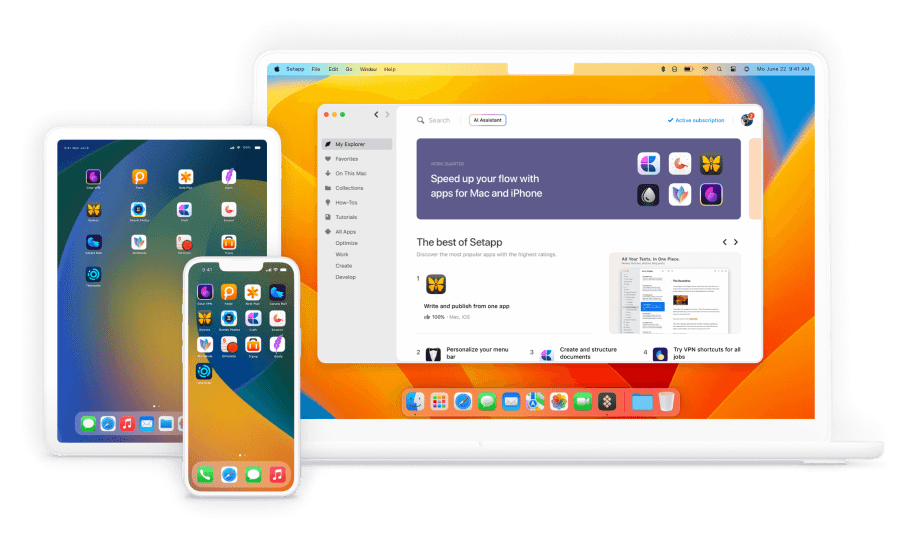
Setapp is a subscription service giving access to a curated collection of Mac and iOS utility apps, covering categories like productivity, file management, writing, and design, all through one monthly fee instead of separate purchases per app.
Key features
- Curated app collection: access dozens of vetted Mac utilities across productivity, writing, and file management categories.
- iOS access: extend select apps to iPhone and iPad on the Mac + iOS plan.
- Multi-device coverage: the Power User plan covers up to 4 Macs and 4 iOS devices under one subscription.
- AI credits included: access AI-powered features within supported apps as part of the subscription.
- No per-app licensing: add or remove apps from your usage without buying separate licenses.
- Marketplace option: purchase individual apps outside the subscription if you only need one specific tool.
Pricing
Setapp publishes tiered monthly pricing directly, with a discount for annual billing.
| Plan | Monthly price | Coverage | Best for |
|---|---|---|---|
| Mac | $14.99/month | 1 Mac, 1,000 AI credits | A single staff member needing Mac utilities |
| Mac + iOS | $18.99/month | 1 Mac + 4 iOS devices, 1,000 AI credits | Staff who also want select apps on mobile |
| Power User | $22.99/month | 4 Macs + 4 iOS devices, 2,000 AI credits | Small teams sharing one subscription across several devices |
Annual billing saves up to 40% compared to paying monthly. A 7-day free trial is available on all plans. Confirm current app catalog and pricing directly with Setapp, since the bundled app selection can change over time.
Pros and cons
| Pros | Cons |
|---|---|
| Often cheaper than licensing several individual Mac utilities separately | Only useful if your team actually needs several of the bundled apps |
| 7-day free trial lets you test the catalog before committing | Mac-only ecosystem, not useful for Windows or Linux-based teams |
| Power User plan covers multiple devices under one subscription | App selection is curated by Setapp, not fully customizable to your exact needs |
Who it’s for
Setapp fits small impact organizations or individual staff members on Mac who currently pay for several separate utility apps and want to consolidate that spending into one subscription.
Who should skip it
If your team primarily uses Windows machines, or only needs one specific app rather than a bundle, a single-app purchase will likely cost less than a full subscription.
How to get started
Start Setapp’s 7-day free trial and check whether the apps you actually use regularly are included before committing to a paid plan.
FAQ
Can multiple staff members share one Setapp subscription?
The Power User plan covers up to 4 Macs and 4 iOS devices, which can work for a small team sharing one subscription, though each device needs its own login.
Is Setapp available for Windows computers?
No. Setapp is built for the Mac and iOS ecosystem and does not support Windows or Linux.
Can I try Setapp before paying?
Yes. Setapp offers a 7-day free trial across all plans before your subscription begins billing.
Disclosure: Impact DOTS may earn a commission if you sign up for Setapp through the links in this article. This does not change what you pay, and it does not influence which tools we choose to cover.