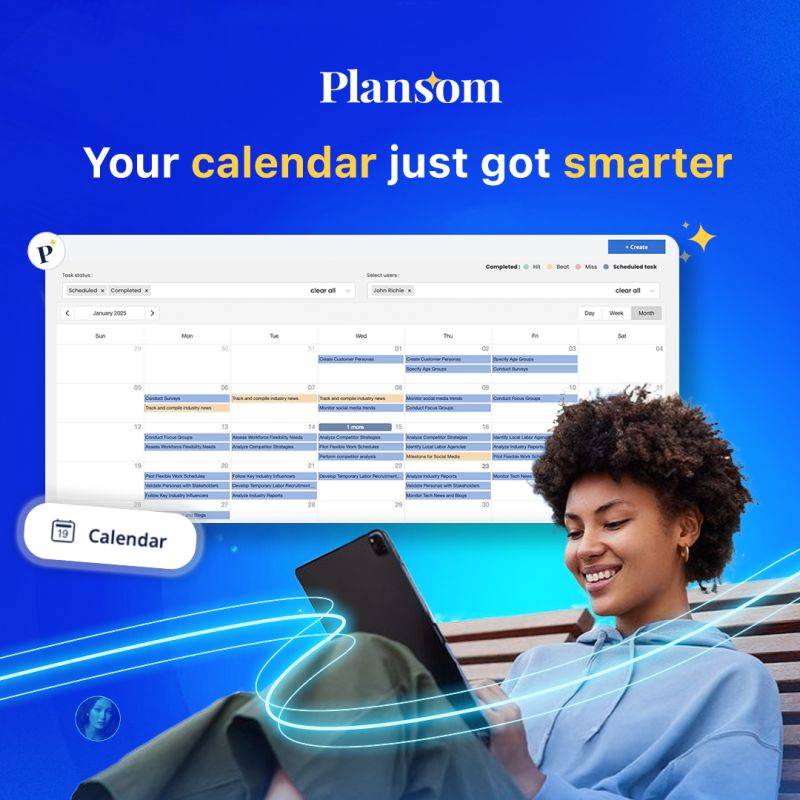
Plansom is an AI planning tool that turns strategy documents, OKRs, and task lists into prioritized action plans with named owners and deadlines. For NGO program teams, foundations, and impact funds that write a strategy once a year and then struggle to turn it into weekly work, it offers a structured bridge between the two.
Key features
- AI plan generation: upload up to five files (PDF, Word, PowerPoint, Excel, CSV, and a few others, 20 MB in total) and Plansom drafts a prioritized action plan from them.
- AI Coach: scores each task and recommends the next action likely to have the most impact.
- Success metrics and AI reporting: tracks progress against the outcomes you define, not only whether a task is ticked off.
- Bottleneck alerts: flags goals and tasks that are at risk of slipping before a deadline passes.
- Shareable plans: every goal and task has its own link, and viewers do not need a Plansom account.
- Where it runs: web app, iOS and Android apps, and a Microsoft Teams integration. Plansom states it is SOC 2 certified, GDPR compliant, and hosted on Microsoft Azure.
Pricing
| Plan | Price | Includes |
|---|---|---|
| Free | $0 | 5 goals, 100 tasks, 1 AI plan per month, unlimited sharing |
| Pro | $28 per user per month | Unlimited goals and tasks, full AI features, reporting, integrations |
| Enterprise | Custom quote | Available on request |
Plansom also offers a 7-day free trial of the full product with no credit card required. Some third-party software directories still list an older, lower Pro price, so confirm the current figure on Plansom’s site before budgeting.
Prices change over time. Figures above are based on Plansom’s own pricing information.
Pros and cons
| Pros | Cons |
|---|---|
| Turns an existing strategy or workplan into owned, dated tasks quickly | Pro is billed per user, which adds up for larger program teams |
| Outcome-based tracking sits closer to a results framework than a plain to-do list | The free plan is tight: 5 goals and one AI plan a month |
| Partners, board members, or donor liaisons can view a plan by link without a paid seat | A newer product with far fewer independent reviews than established project tools |
| Mobile apps and a Microsoft Teams integration | AI-drafted plans still need a human check against donor commitments and timelines |
Plansom vs Trello
Trello gives you a flexible board that your team fills in by hand. Plansom starts from your documents and proposes the plan and the priorities for you. If your real bottleneck is deciding what matters most this week, Plansom’s approach is the more relevant one. If your team already knows the plan and only needs a shared board, a simpler tool such as Trello may be enough.
Who it’s best for
Small program, operations, and strategy teams at NGOs, social enterprises, foundations, and impact funds that already have a strategy, logframe, or annual OKRs written down and need to turn them into owned, dated work. The link sharing is useful for keeping an implementing partner or a funder’s program officer informed without adding paid seats.
Skip it if your organization already runs its work in a project tool the whole team uses, or if you need detailed Gantt charts, budget tracking, or grant-compliance reporting. Plansom plans and prioritizes. It does not replace a grants management system.
How to get started
Start with the 7-day trial. Upload one real document, such as this year’s strategy or a program workplan, and check whether the plan Plansom generates matches how your team actually works before you invite colleagues or move to Pro.
FAQ
Is Plansom free? Yes, there is a free plan with 5 goals, 100 tasks, and one AI plan per month. Pro removes those limits.
Can Plansom turn a logframe or annual workplan into tasks? It accepts common formats including PDF, Word, PowerPoint, and Excel, so an existing workplan can be the starting point. Review the output carefully, since an AI-drafted plan will not know your donor reporting dates unless they are in the document.
Can external partners see our plans? Yes. Plans are shareable by link and viewers do not need an account. Anyone with the link can see what is shared, so avoid sharing plans that contain sensitive beneficiary or staff information.
Disclosure: Impact DOTS may earn a commission if you sign up for Plansom through the links in this article. This does not change what you pay, and it does not influence which tools we choose to cover.