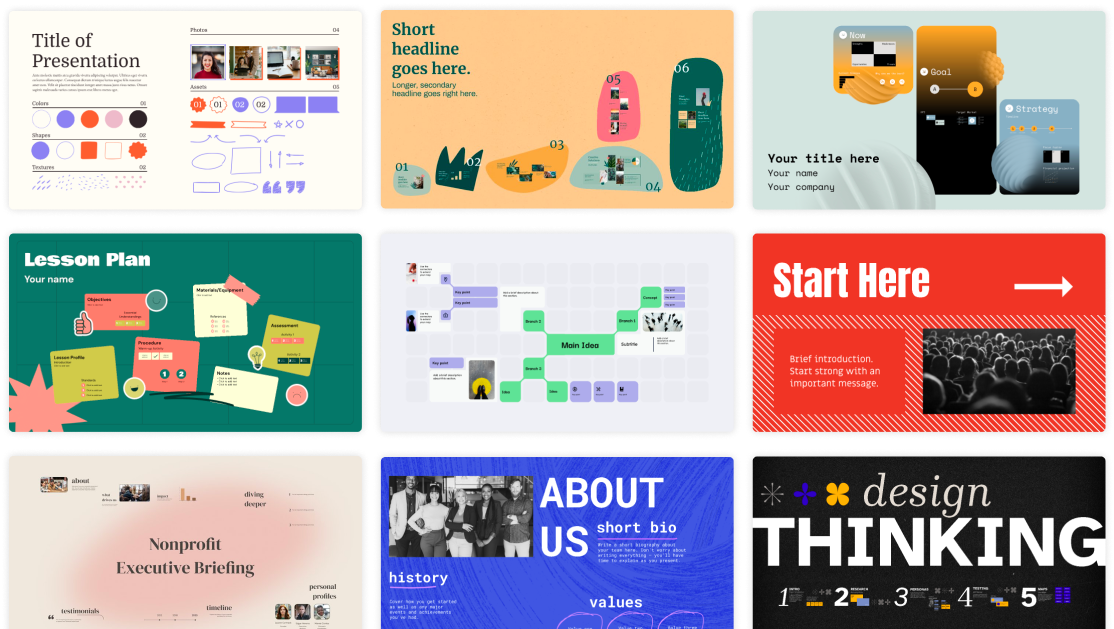
Prezi is a cloud-based presentation tool built around a single zooming, pannable canvas instead of a slide deck. For teams pitching a theory of change, an ecosystem map, or a multi-part program to funders, it can show how the pieces connect rather than presenting them as a flat sequence.
Key features
- Zooming canvas navigation for non-linear visual storytelling
- AI-assisted presentation generation with credit-based limits
- Image generation and background removal
- PDF and PowerPoint import
- Desktop app with offline editing
- Brand color theme customization
- Team collaboration and admin controls on the Teams plan
Pricing
| Plan | Price | Includes |
|---|---|---|
| Basic | Free | Public presentations only, watermarked, no export |
| Plus | $6/mo monthly or $4/mo annually | AI features, 100 import credits, watermark removal, PDF export |
| Premium | $7/mo, annual billing only | Similar to Plus with enhanced capabilities |
| Teams | $39/mo per seat | Organizational ownership, admin controls, brand kit, collaboration |
Prices change over time. Figures above are based on Prezi’s own pricing page.
Pros and cons
| Pros | Cons |
|---|---|
| The zooming canvas suits content that is genuinely nonlinear, such as a theory of change or an ecosystem map | Exporting to PowerPoint strips the zoom effects and can produce broken or misaligned layouts |
| The free tier is enough to test the format before paying | The free tier is public and watermarked, unsuitable for a confidential donor pitch |
| Brand theme customization keeps a pitch on-brand | Teams pricing per seat adds up for a full comms department |
Who it’s best for
A team pitching a program, ecosystem, or theory of change where showing relationships between parts matters more than a clean linear narrative, and where the audience will view the presentation live or via a shared link rather than needing an editable file back.
Skip it if your funder specifically requires a PowerPoint or PDF file to circulate internally, since Prezi’s format does not convert cleanly, or your presentations are straightforward and a standard slide deck already does the job.
How to get started
Build one presentation on the free Basic plan to test whether the zooming format actually fits your content, then upgrade to Plus once you need to remove the watermark or present privately.
FAQ
Can a Prezi presentation be exported to PowerPoint? Yes, but the zoom effects are lost and layouts can break, so treat any export as a rough backup, not the primary delivery format.
Is there a free plan for occasional use? Yes, the Basic plan is free, but presentations are public and watermarked, so it is not suitable for a confidential funder pitch.
Does Prezi work for a program team, not just individual presenters? Yes. The Teams plan adds shared ownership and admin controls for a whole department.
Disclosure: Impact DOTS may earn a commission if you sign up for Prezi through the links in this article. This does not change what you pay, and it does not influence which tools we choose to cover.