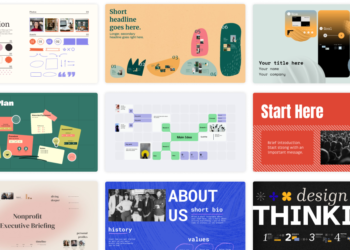
InVideo is an AI-assisted video creation platform that turns a script, topic, or set of source clips into an edited video, with templates, a multiplayer timeline editor, and AI generation tools for footage and voiceover. For an impact organization that needs recurring social media video or program recap content but has no dedicated video editor on staff, it collapses a lot of the production process into one browser-based workflow.
Key features
- AI-assisted video generation from a text prompt or script, useful for quick social clips.
- A full timeline editor with color, audio, and layering tools for more controlled edits.
- Multiplayer editing, allowing a communications team to collaborate on the same project.
- A credit-based system for AI generation features, with usage scaling by plan tier.
- Access to premium stock footage libraries on higher tiers.
Pricing
InVideo’s paid plans are billed per seat with a monthly credit allotment for AI generation. The Starter tier runs around $20 per seat per month with 400 credits, enough for a modest amount of AI-generated video. The Plus tier runs around $60 per seat per month with 2,000 credits and access to more advanced AI models. The Max tier runs around $150 per seat per month with 5,000 credits and additional storage and stock footage. A free tier exists for testing the editor at a smaller scale, and an Enterprise option is available for larger teams.
Pros and cons
| Pros | Cons |
|---|---|
| Meaningfully lowers the skill and time barrier to producing decent video content | Credit-based pricing can be confusing to budget against actual video output volume |
| Multiplayer editing suits a small communications team working together | AI-generated footage and voiceover still benefit from human review for accuracy and tone before publishing |
| Templates speed up recurring content types like social recaps or announcements | Higher tiers get expensive quickly for an organization producing a lot of video content monthly |
Who it’s for
Impact organizations producing regular short-form video for social media or program updates, without a dedicated video editor, that want templates and AI assistance to speed up production.
Who should skip it
Organizations producing occasional, high-production-value video (a flagship annual report film, for instance) are usually better served by a freelance editor or a full desktop editing program rather than a credit-based AI tool.
How to get started
Start on the free or Starter tier and track how many credits a typical month of content actually uses before upgrading to a higher tier.
FAQ
Do AI-generated voiceovers sound natural enough for donor-facing content?
Quality varies by voice and language selected. Review any AI-generated voiceover for tone and pronunciation before using it in donor- or beneficiary-facing material.
What happens if my team runs out of credits mid-month?
Additional credits can typically be purchased, or the team can wait until the next billing cycle’s allotment resets, depending on the plan.
Disclosure: Impact DOTS may earn a commission if you sign up for InVideo through the links in this article. This does not change what you pay, and it does not influence which tools we choose to cover.