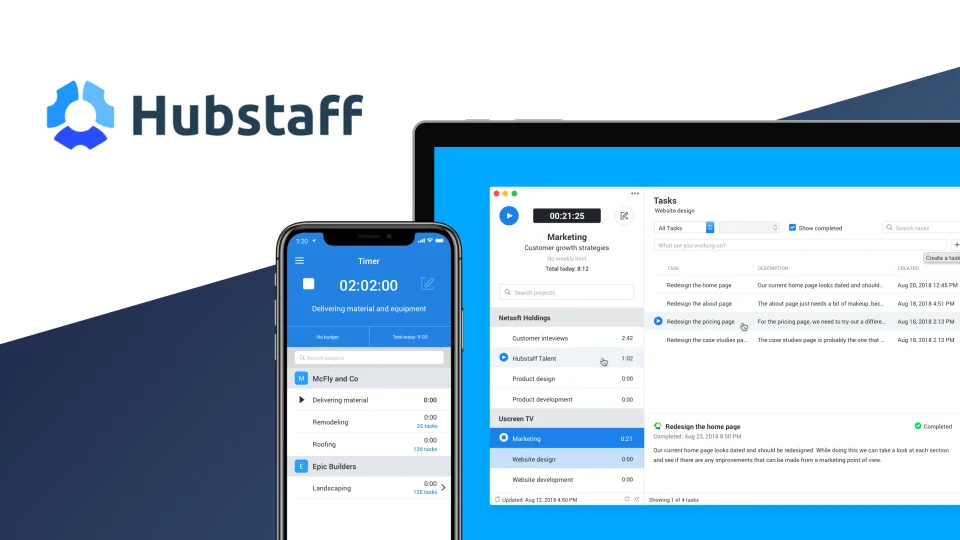
Hubstaff is time tracking software for remote and field teams, combining automated timesheets with optional activity monitoring like screenshots and app usage. For an NGO managing remote consultants or field staff across several countries, it gives program managers a factual record of hours worked without requiring everyone to be in one office.
Key features
- Automated timesheets and project or task tracking across desktop, mobile, and web
- GPS-based clock-in for field teams and attendance monitoring
- Optional productivity monitoring: screenshots, idle-time detection, and app or URL usage
- Workforce analytics, including performance benchmarks and AI-flagged unusual activity
- Project cost tracking, invoice generation, and payroll and payment tools
- More than 35 integrations, including Jira, Slack, Asana, and QuickBooks
Pricing
| Plan | Price | Includes |
|---|---|---|
| Starter | $4.99/user/mo | Time tracking, timesheets, 500 screenshots/mo, task management |
| Grow | $7.50/user/mo | Advanced reporting, project budgets, unlimited app/URL tracking |
| Team | $10/user/mo | Unlimited screenshots and integrations, payroll tools, scheduling |
| Enterprise | $25/user/mo | Custom setup, GPS tracking, HIPAA compliance, SOC 2 Type II |
All plans except Enterprise require a two-seat minimum. Annual billing includes two free months, and a 14-day free trial with a 30-day money-back guarantee is available. Prices change over time. Figures above are based on third-party pricing coverage, confirm current rates on Hubstaff’s own site before subscribing.
Pros and cons
| Pros | Cons |
|---|---|
| GPS clock-in gives verifiable field presence data, useful for both payroll and donor reporting | Screenshot and activity monitoring can feel invasive to staff or contractors if introduced without clear communication |
| Built-in payment tools let a program pay distributed contractors directly from the platform | A two-seat minimum on most plans is a non-issue for teams, but worth noting for a solo user |
| Entry pricing at $4.99/user/month is accessible even for a lean program budget | Advanced features (unlimited screenshots, payroll) require Team tier or higher, adding cost as needs grow |
Who it’s best for
An NGO or program managing remote consultants or field staff across multiple locations that needs verifiable time and attendance data for payroll accuracy or donor reporting.
Skip it if activity monitoring would damage trust with a small, tenured team where verifiable hours are not actually in question. lighter time-tracking tools exist without the monitoring layer.
How to get started
Run the 14-day free trial with one distributed team, and be transparent with staff about what is tracked and why before enabling screenshot or activity monitoring.
FAQ
Does Hubstaff require staff consent for screenshot monitoring? Hubstaff’s own policy requires notifying users that tracking is active, and organizations should also check local labor law on employee monitoring before enabling it.
Can Hubstaff pay contractors directly? Yes, payment and payroll tools are included from the Team plan upward.
Is there a free trial? Yes, 14 days, with a 30-day money-back guarantee after starting a paid plan.
Disclosure: Impact DOTS may earn a commission if you sign up for Hubstaff through the links in this article. This does not change what you pay, and it does not influence which tools we choose to cover.