What if you could automate time tracking and payroll while boosting team productivity? Many businesses struggle with manual processes that drain resources and create administrative headaches.
This comprehensive review examines a popular solution designed for modern teams. The software helps companies across diverse industries manage their workforce efficiently.
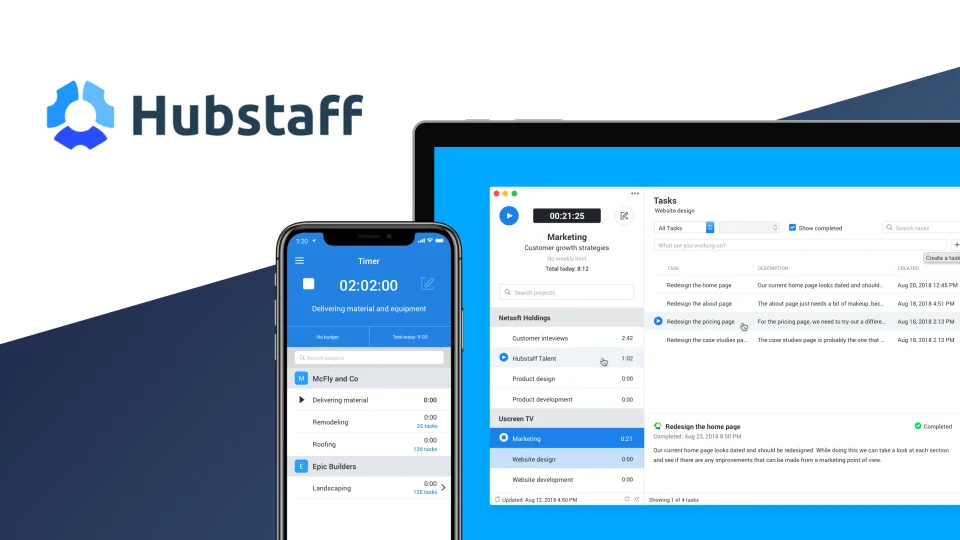
Hubstaff serves over 8,000 companies in more than 100 industries. It offers Chrome time tracking with screenshots, online timesheets, and task management. The tool also provides URL monitoring and employee payroll features.
Based on 26 ratings on the Chrome Web Store, this product maintains a 3.7 out of 5 average rating. Our analysis will help you determine if it’s the right fit for your business needs.
This detailed review covers everything from core features to pricing comparisons. We incorporate data from multiple sources including software review platforms. Our goal is to provide practical insights for your decision-making process.
The platform offers a 14-day free trial for risk-free testing. Consider it more than just a time tracker—it’s a complete workforce management ecosystem.
Key Takeaways
- This time tracking software serves thousands of companies across numerous industries
- The tool automates time tracking, payroll management, and productivity monitoring
- User reviews show a 3.7 out of 5 average rating based on multiple sources
- The platform offers comprehensive features including screenshots and URL monitoring
- A 14-day free trial allows for risk-free evaluation of the product
- This review provides detailed analysis to support informed purchasing decisions
- The solution works for diverse fields including e-commerce, healthcare, and construction
What is Hubstaff and Who Should Use It?
The modern workplace extends far beyond office walls, creating unique management challenges. This specialized solution targets businesses with distributed workforces needing more than basic time clocks.
It combines multiple functions into one platform. The software handles time recording, activity analysis, and location monitoring.
Designed for Field and Remote Teams
This platform excels for mobile employees and remote staff. Traditional methods fail for technicians driving between job sites or consultants working from home.
The system uses GPS to verify attendance at destinations. Mobile apps let workers clock in from any location with data connectivity.
Field service companies gain particular advantages. They can track travel time between appointments automatically. Route optimization becomes possible with location data.
Remote-first organizations maintain visibility without micromanaging. Activity reports show productive work patterns. Managers see which applications and websites teams use most.
Common problems get solved efficiently. Manual timesheet errors disappear with automated tracking. Payroll processing delays reduce when hours sync directly with payment systems.
Project budget overruns get early warnings. The platform alerts managers when spending approaches limits. Lack of visibility into remote work transforms into detailed analytics.
Companies Across 100+ Industries
Adoption spans diverse sectors from construction to healthcare. Over one hundred industries utilize this comprehensive toolset.
Consulting firms track billable hours accurately for client invoicing. Technology services monitor development sprints and project timelines.
Construction managers verify crew presence at job sites. Healthcare organizations schedule mobile staff efficiently. E-commerce businesses coordinate remote customer service teams.
The ideal user needs to monitor billable hours closely. They require insights into remote employee productivity. Project budget management must be precise.
Payroll automation saves administrative time each pay period. These needs define the perfect customer profile.
Specific team structures benefit most. Marketing agencies with client work need accurate hour tracking. Software development teams require sprint monitoring.
Construction companies verify subcontractor attendance. Consulting firms invoice clients based on detailed time records.
This solution differs from simpler trackers. It offers a complete workforce management ecosystem. Time tracking combines with activity monitoring and location verification.
Payroll automation integrates seamlessly with the collected data. The approach is comprehensive rather than basic.
Evaluate if this fits your organization. Do you manage field technicians or remote staff? Is tracking billable hours crucial for your revenue?
Do project budgets need vigilant oversight? Would automated payroll save administrative costs? Answering yes suggests you’re in the target audience.
Core Hubstaff Time Tracking and Monitoring Features
Beyond simple timers, comprehensive tracking software provides context about work patterns and productivity. The platform’s robust feature set transforms raw hours into actionable business intelligence.
This system captures detailed work data automatically. Managers gain insights that basic time clocks cannot provide.
Automatic Time Tracking with Desktop & Mobile Apps
The software operates silently across all major platforms. It runs on Windows, Mac, Linux, iOS, and Android devices.
Employees activate tracking with one click. The system records billable hours accurate to the second.
Background operation eliminates manual timesheet errors. Work hours sync automatically as employees move between tasks. Field staff can clock in directly from mobile apps using GPS verification.
This approach saves administrative time each week. Payroll processing becomes faster with automated data collection.
Activity Monitoring with Screenshots and Random Sampling
Optional screenshot capture adds visual verification of work. Managers can configure random sampling intervals for balance.
Settings adjust to respect employee privacy while ensuring accountability. Some organizations use manual triggering for specific projects.
The system measures activity levels through mouse movement and keystrokes. This data helps identify productive work patterns.
Transparent monitoring builds trust within teams. Employees can see exactly what data gets collected. Clear policies explain how information supports business goals.
Random sampling prevents constant surveillance fatigue. It offers periodic verification without creating discomfort.
Managers use this feature to verify project completion. They can also spot team members who might need additional training.
Company resources get protected during work hours. The monitoring ensures appropriate use of tools and systems.
Application and URL Tracking
The platform records time spent in different programs and websites. This reveals how work hours distribute across tools.
Marketing agencies use this data to prioritize client work. Software teams optimize development workflows based on application usage.
Productivity patterns emerge from detailed analytics. Managers see which tools deliver the best results. They can make informed decisions about software investments.
URL tracking helps ensure work focus remains on priority tasks. It identifies time drains that reduce team efficiency.
Lightweight applications minimize system resource usage. Battery drain stays low on mobile devices during constant operation.
This comprehensive approach differs from basic time trackers. Simple systems only record hours without work context.
The platform provides the “why” behind the time data. Businesses understand not just duration but work quality and focus.
Technical implementation focuses on efficiency and transparency. Employees maintain control over their work experience while providing necessary business insights.
Gaining Productivity and Insights with Advanced Reports
The true power of time tracking emerges when data translates into actionable business insights. Comprehensive reporting transforms raw numbers into strategic intelligence for better decision-making.
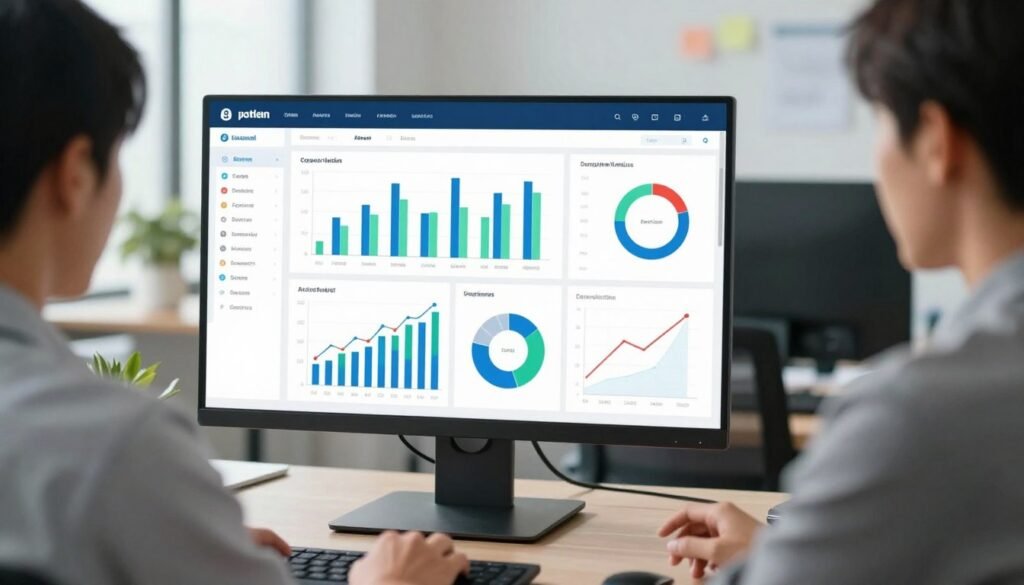
Managers access a centralized dashboard with visual charts and graphs. This interface makes complex information easy to understand at a glance.
Detailed Time and Attendance Reports
Attendance patterns reveal valuable information about team consistency. Reports show punctuality trends and overtime occurrences across departments.
These analytics help identify scheduling issues before they affect projects. Managers can spot teams with frequent late arrivals or early departures.
Individual reports display each employee’s work history with precision. You see exact start times, break durations, and total hours worked.
Filtering options let you examine specific date ranges or teams. Custom views answer precise questions about attendance during critical periods.
Project Budgeting and Overspend Alerts
Financial control improves with proactive budget monitoring tools. Set hourly or monetary limits for any project in the system.
The platform sends automatic alerts when spending approaches predefined thresholds. This early warning system prevents unexpected cost overruns.
Real-time tracking ensures managers always know project financial status. They can adjust resources or timelines before budgets get exceeded.
Compare estimated hours against actual time spent on tasks. Identify projects consistently running over initial projections.
Export financial reports in CSV or PDF formats for client presentations. Share clear data about how project hours translate to costs.
Analyzing Productivity Trends
Activity levels correlate with tracked time to reveal work patterns. The system identifies peak productivity periods throughout the day or week.
Managers discover when teams accomplish their best work. They can then schedule demanding tasks during these high-output windows.
Workflow bottlenecks become visible through trend analysis. Spot recurring slowdowns that affect project timelines or quality.
Productivity reports highlight training opportunities for team members. Identify individuals who might benefit from additional support or resources.
Recognize consistently high-performing employees through objective data. Reward systems become fairer when based on measurable results.
Automated reporting delivers scheduled insights via email. Stakeholders receive regular updates without manual preparation effort.
This analytical depth surpasses basic time trackers offering simple summaries. The platform provides predictive insights rather than just historical records.
Data-driven decisions improve resource allocation across all projects. Companies optimize team structures based on actual performance metrics.
Streamlining Finances: Invoicing and Payroll Automation
Manual billing and payroll processes consume valuable hours that could be spent on client work. Service businesses often struggle with disconnected systems that create errors and delays.
This financial automation connects time tracking directly to client billing and employee payments. It eliminates the administrative gap between work completion and financial processing.
Turning Billable Hours into Client Invoices
The integrated invoicing system automatically converts tracked time into professional bills. Customizable templates allow branding with your company logo and terms.
Multiple rate tiers handle complex billing scenarios effortlessly. Set different rates per employee, project, or client. Blended rates calculate fair prices for team projects.
Expense tracking captures reimbursable costs during work. These items attach directly to the corresponding client invoices.
Consulting firms use this to bill clients with precise hour documentation. Marketing agencies manage retainer agreements alongside hourly billing.
The workflow moves from approved hours to sent invoices seamlessly. Managers review time entries before generating bills.
Clients receive clear invoices showing detailed work breakdowns. Payment tracking follows up on outstanding balances automatically.
Flexible Payroll System for Employees
Payroll automation calculates wages based on accurately tracked hours. The system applies correct rates whether hourly or fixed.
Choose pay periods that match your company’s schedule. Payment methods include direct deposit or check generation.
Scheduling payroll becomes automatic once configurations are set. The platform handles calculations each pay cycle without manual intervention.
Tax considerations integrate with the wage calculations. The system accommodates different employee classifications and deductions.
Audit trails connect every paid hour to specific invoices or payroll records. This simplifies accounting reconciliation during reviews.
Security measures protect sensitive financial data. Compliance standards ensure proper handling of employee payment information.
Integration with accounting software like QuickBooks transfers data seamlessly. No manual re-entry creates time savings each month.
Compare this automation to manual processes that create administrative overhead. Disconnected systems often produce errors in calculations.
Delays in payment processing frustrate both employees and clients. The automated approach ensures timely, accurate financial operations.
Service businesses reclaim hours previously spent on administrative tasks. These resources redirect toward client projects and business growth.
GPS and Geofencing for Field Team Management
Location intelligence transforms how companies manage their mobile workforce. It turns physical movement into actionable data for better decisions.
This system provides critical tools for teams that work beyond a fixed office. It answers the essential question of where work happens.
Real-Time Location Tracking and Visits
Real-time GPS location tracking offers a live view of your field operations. Managers see employee movements on interactive maps as they happen.
The technology monitors time spent driving and at each destination. It provides a precise log of arrivals and departures from job sites.
This visibility is crucial for service businesses like plumbing or HVAC. It verifies technician attendance at client homes without manual check-ins.
Construction managers track crew movements across multiple sites simultaneously. Delivery services optimize routes based on actual travel patterns and traffic.
The mobile app uses smartphone GPS capabilities with minimal battery impact. It provides accurate location data throughout the workday.
Travel time becomes billable data instead of lost information. Companies can invoice clients for transit or reimburse employees accurately.
Automating Time Cards with Geofenced Job Sites
Geofencing technology creates virtual boundaries around work locations. These digital perimeters automate time tracking when employees cross them.
Managers define these zones around job sites, client offices, or warehouses. The system facilitates time card creation without manual input.
Work timers start automatically when a team member enters a geofenced area. They stop when the employee leaves the designated zone.
This automation eliminates disputes about clock-in times and hours worked. It ensures accurate recording for payroll and client billing purposes.
Privacy controls limit GPS tracking to scheduled work hours only. Employees receive transparency about when location monitoring is active.
The data integrates directly with work orders and job management systems. Each location entry associates with specific projects, clients, or tasks.
This approach provides context that office-centric time tracker solutions lack. It correlates physical presence with productivity metrics and project timelines.
Field service companies gain a competitive advantage through this detailed awareness. They optimize schedules, reduce fuel costs, and improve customer service with reliable data.
Integrations and Hubstaff’s Software Ecosystem
The value of any productivity software multiplies when it connects seamlessly with other business applications. A robust ecosystem eliminates manual data transfers between systems.
This platform supports direct connections with over thirty popular tools. Integration categories span project management, accounting, communication, and customer relations.
Connected systems create a unified workflow from task assignment to final billing. Employees work within familiar interfaces while time tracking happens automatically.
Project Management Tools (Asana, Trello, Jira)
Direct integrations link time tracking directly to tasks in leading platforms. Supported tools include Asana, Trello, Jira, Basecamp, and Teamwork.
Development teams track hours against specific Jira issues without switching windows. Marketing agencies connect time entries directly to Asana tasks for client projects.
The integration allows tracking time down to the individual task level. This provides granular details for accurate project costing and client invoicing.
Employees launch timers from within their project management interface. They avoid constant application switching throughout the workday.

Time data syncs bi-directionally between systems. Project managers see accumulated hours alongside task status updates.
This connection eliminates duplicate data entry across different software platforms. It also reduces errors from manual time allocation.
Accounting and Payment Integrations (QuickBooks)
Financial synchronization bridges the gap between time tracking and accounting. QuickBooks integration serves as the primary connection for many businesses.
Approved time entries flow directly into invoice generation within QuickBooks. Payroll information synchronizes automatically between systems.
Service businesses sync client invoices with precise hour documentation. Expense tracking captures reimbursable costs during project work.
The system applies correct billing rates whether hourly, fixed, or blended. Audit trails connect every paid hour to specific invoices or payroll records.
This automation saves administrative time each billing cycle. It ensures financial accuracy across time tracking and accounting software.
Implementation typically involves authentication through each platform’s API. Data synchronization occurs at regular intervals throughout the workday.
Custom integrations are possible through available API access. Businesses can connect with proprietary systems or niche industry software.
The breadth of available integrations makes this tool adaptable to different company tech stacks. Companies maintain existing workflows rather than forcing process changes.
This review finds the integration ecosystem more extensive than many competitor offerings. Limited connectivity options in other tools create operational inefficiencies.
Seamless software connections deliver measurable efficiency gains. Teams spend less time on administrative tasks and more on productive work.
Hubstaff Pricing: Plans, Costs, and Choosing the Right Tier
A clear pricing breakdown enables companies to select the right feature set without overspending. This workforce management solution offers four distinct subscription levels.
Each tier matches different business needs and team sizes. Understanding these options helps you make an informed investment decision.
The platform provides transparent cost structures with monthly or annual billing. You can calculate expenses before committing to any subscription.
Free Plan (Limited to One User)
The Time Free tier costs nothing for solo users. This option serves individual entrepreneurs testing the software.
Basic time tracking and limited reports are available at no charge. The free version helps you evaluate core functionality.
It includes manual time entry and simple timesheet management. You cannot add team members or access advanced monitoring.
This plan works for freelancers verifying their own work patterns. It also suits businesses conducting initial product reviews.
The limitation to one user makes it unsuitable for growing teams. Consider upgrading once collaboration becomes necessary.
Starter Plan: $7 per User/Month
Time Starter introduces team capabilities at $7 per user monthly. A $5 base fee applies to each account.
This entry-level subscription supports multiple employees working together. Core time tracking features include automatic recording.
Essential monitoring tools provide basic activity insights. You receive limited screenshots and application tracking.
Standard reports help managers understand team productivity. The plan integrates with select project management tools.
Small businesses find this tier affordable for their initial needs. It balances cost with necessary functionality for emerging teams.
Pro Plan: $10 per User/Month
Time Pro delivers comprehensive features at $10 per user each month. A $5 base fee accompanies this popular option.
Most organizations select this tier for its advanced capabilities. Unlimited screenshots and random sampling enhance monitoring.
Full payroll and invoicing automation streamline financial operations. You gain access to all available software integrations.
Advanced reporting provides deep insights into work patterns. Project budgeting tools prevent cost overruns.
This plan suits established companies managing distributed teams. The value justifies the moderate price increase from Starter.
Enterprise: Custom Pricing
Large organizations negotiate custom Enterprise agreements. Pricing depends on user volume and specific requirements.
Dedicated support and enhanced security define this top tier. Companies receive personalized implementation assistance.
Custom features address unique workflow challenges. Volume discounts reduce per-user costs for big teams.
Advanced compliance tools meet industry-specific regulations. White-label options support corporate branding needs.
Enterprise clients often integrate the platform across entire organizations. This plan scales with substantial business growth.
Annual billing provides noticeable discounts compared to monthly payments. The software accepts major credit cards and electronic transfers.
Cancellation policies allow termination at any cycle’s end. Refunds follow standard industry practices for subscription services.
Calculate total ownership costs beyond subscription fees. Implementation effort and training time affect your initial investment.
Automation savings often justify the product’s price within months. Reduced administrative errors deliver additional financial benefits.
Compare this solution against competitors like Toggl Track and Time Doctor. Each platform targets different market segments with varying pricing.
Select your plan based on current team size and projected growth. Feature requirements should guide your tier selection process.
Start with Free or Starter when testing the platform’s suitability. Upgrade to Pro once you need comprehensive monitoring and financial tools.
Consider Enterprise negotiations for teams exceeding one hundred users. Calculate ROI from time savings and error reduction.
Check recent user ratings before making your final decision. The average review score reflects overall customer satisfaction.
You can write a review after using the platform for several months. These details help other businesses evaluate the software effectively.
User Experience, Security, and Support Assessment
Behind every powerful feature set lies the critical foundation of user experience, data protection, and reliable support. These elements determine whether a tool becomes a seamless asset or a frustrating obstacle for your team.
This assessment examines how the platform performs in these crucial areas. We look at the setup process, security safeguards, and the help available when you need it.
Ease of Use and Implementation
The platform is designed for clarity across different roles. Administrators find straightforward system configuration menus.
Managers navigate intuitive dashboards to access reports. Team members use simple timers for their daily work.
The implementation process focuses on getting teams productive quickly. New customers can often begin basic tracking within a day.
Configuration options are extensive but logically organized. Onboarding resources include step-by-step guides and checklist templates.
Real-world feedback suggests a moderate learning curve for full feature utilization. Most teams adopt core time tracking functions rapidly.
Common challenges involve fine-tuning privacy settings and project structures. A phased rollout is recommended for smooth adoption.
Start with essential time tracking before enabling advanced monitoring. Clear internal communication about the tool’s purpose is vital.
The mobile app provides consistent functionality across iOS and Android. Offline capabilities allow work recording without immediate internet access.
Synchronization happens reliably once connectivity is restored. This cross-platform consistency supports hybrid work models effectively.
Data Security and Privacy Compliance
This software handles sensitive information, including work patterns and web history. The developer’s policy states this data is not sold to third parties.
Information is not used for purposes unrelated to the tool’s core functionality. As a cloud-based service, it employs the latest security measures.
Data protection includes encryption both in transit and at rest. The platform complies with major regulations like GDPR.
Privacy controls allow organizations to configure what is monitored. Companies can balance oversight with employee trust through transparent settings.
Best practices involve creating clear usage policies. Managers should communicate what data is collected and why it benefits the team.
These configurable privacy settings help address common concerns. They allow for respectful monitoring that focuses on productivity insights.
Customer Support and Training Resources
A strong support ecosystem ensures you’re never stuck. Multiple channels include email, live chat, and phone assistance.
Reported response times are generally within business hours for standard plans. The knowledge base contains detailed articles and troubleshooting guides.
Training resources scale with your subscription level. Video tutorials and documentation are available to all users.
Webinars cover advanced topics and best practices. Higher-tier plans may include personalized onboarding sessions.
User reviews often highlight the quality of support as a strength. Technical expertise is generally rated highly for problem resolution.
Proactive assistance is more common with enterprise-level implementations. The community forums provide peer-to-peer advice and shared solutions.
When compared to industry standards, the platform’s support structure is comprehensive. The depth of training materials helps teams achieve self-sufficiency.
The overall user experience receives positive marks for consistency. The average vendor capability rating in these areas supports its market position.
Effective management of the tool is facilitated by these resources. They help employees understand the system and use it correctly.
How Hubstaff Stacks Up Against Competitors
Businesses evaluating time tracking software should examine how leading solutions differ in monitoring capabilities and ease of use. The market offers various approaches from minimalist timers to comprehensive workforce management systems.
This comparison helps you select the right tool for your specific needs. We analyze major competitors based on features, pricing, and user feedback.
Hubstaff vs. Toggl Track: Simplicity vs. Depth
Toggl Track emphasizes user-friendly design with a 4.4 average rating. It appeals to teams wanting straightforward time recording without complex monitoring.
The product excels at quick timer starts and simple reporting. Many users praise its intuitive interface across desktop and mobile platforms.
This competitor lacks the detailed monitoring features some businesses require. It doesn’t offer automated screenshots or activity level tracking by default.
Field team management capabilities are minimal compared to more comprehensive solutions. GPS location tracking isn’t a core feature in their standard plans.
Project budgeting tools are less advanced than in workforce management platforms. The focus remains on clean time recording rather than productivity analytics.
Toggl suits creative agencies and consultants billing by the hour. It works well for teams prioritizing simplicity over detailed oversight.
Choose Toggl if your main need is basic time tracking across projects. Select more comprehensive software for field teams or detailed productivity insights.
Hubstaff vs. Time Doctor: Monitoring Focus
Time Doctor shares the monitoring emphasis but approaches it differently. It holds a 1.4 average rating with mixed user feedback.
Both tools offer screenshot capture and activity level measurement. Policies around random sampling and privacy controls vary between platforms.
Activity scoring algorithms differ in how they calculate productivity metrics. Reporting capabilities show distinct strengths in each system.
Some users find Time Doctor’s monitoring more intrusive than alternatives. Configuration options affect how teams experience the tracking process.
Integration breadth compares differently across project management platforms. Each product connects with different sets of business applications.
The choice depends on your specific monitoring requirements and team culture. Consider which approach aligns better with your management philosophy.
Niche competitors serve specific market segments with specialized features. Everhour focuses on budget management with a 4.2 average rating.
WebWork Time Tracker prioritizes simplicity and holds a 4.0 rating. TimeCamp emphasizes project tracking with a 3.9 average score.
These alternatives might better suit particular business scenarios. Everhour excels for companies needing strict budget controls across client work.
WebWork appeals to teams wanting minimal learning curves. TimeCamp serves organizations with complex project hierarchies and resource allocation needs.
Evaluate these options if your requirements align with their specialized strengths. Sometimes a focused tool outperforms comprehensive solutions for specific use cases.
Pricing comparisons reveal different value propositions across the market. Basic timers often cost less but offer limited functionality.
Mid-range solutions balance features with reasonable per-user pricing. Enterprise platforms provide custom configurations at higher price points.
Consider total cost beyond monthly subscription fees. Implementation time and training requirements affect your overall investment.
Automation savings can justify higher prices within several months. Reduced administrative errors deliver additional financial benefits over time.
Compare value rather than just cost when evaluating competing products. The right tool should solve your specific problems efficiently.
Feature differentiators highlight each product’s unique advantages. GPS capabilities separate field management tools from office-centric solutions.
Monitoring configurability options vary significantly between platforms. Some offer extensive privacy controls while others provide limited adjustments.
Integration breadth affects how well the software connects with your existing tools. Consider which connections matter most for your workflows.
Reporting depth determines what insights you gain from tracked time. Basic summaries differ substantially from detailed analytics dashboards.
User review patterns reveal common praises and complaints for each product. Analyze feedback trends rather than individual comments.
Look for consistent themes around ease of use and feature reliability. Consider how review ratings reflect real-world satisfaction levels.
Write a review after testing multiple solutions during free trials. Your experience will help other businesses make informed decisions.
Average ratings provide helpful benchmarks but shouldn’t be the sole deciding factor. Different teams value distinct aspects of time tracking software.
Decision frameworks help determine when to choose comprehensive solutions over simpler alternatives. Field team management needs often require GPS and location features.
Detailed client billing benefits from robust invoicing automation. Strict compliance requirements may dictate specific monitoring capabilities.
Consider your team’s size, distribution, and workflow complexity. Remote teams have different needs than office-based staff.
Project-based businesses require different features than service organizations. Match the tool to your specific operational reality.
Market positioning shows how different products target distinct segments. Some aim for broad appeal across various industries.
Others focus on specific verticals like construction or consulting. Comprehensive platforms target businesses needing accountability and automation.
Understand each product’s intended audience before evaluating fit. A tool designed for large enterprises might overwhelm small teams.
Software created for freelancers may lack features growing businesses need. Alignment between product design and your organization matters.
Practical advice suggests trying multiple solutions during free trial periods. Hands-on testing reveals more than feature comparisons.
Evaluate based on specific workflow needs rather than general capabilities. Consider how your team will actually use the software daily.
Team adoption preferences affect long-term success with any tool. Involve key users in the evaluation process when possible.
Look beyond initial setup to ongoing maintenance requirements. The best time tracker should become a seamless part of your workflow.
Remember that switching costs exist if you choose poorly initially. A thorough comparison now prevents disruptive changes later.
Conclusion: Final Verdict on Hubstaff for Your Business
The final assessment of any workforce management tool comes down to how well it solves your unique business challenges. This comprehensive software eliminates administrative headaches like manual timesheets.
Over 8,000 companies across diverse industries benefit from its automation. The platform delivers robust time tracking with productivity insights and location features for field teams.
It excels for businesses needing detailed client billing and payroll automation. The strong reporting provides valuable data for project management decisions.
Consider this solution if you manage remote or mobile teams requiring accountability. Evaluate the 14-day free trial with your specific workflows in mind.
Hubstaff represents a powerful investment for organizations serious about operational efficiency. Make your choice based on measurable time savings and error reduction.
FAQ
Is this tool suitable for freelancers or very small teams?
Yes. The free plan is perfect for a single user, while the affordable Starter tier supports small groups. It helps solo workers and tiny teams track billable hours for client invoicing efficiently.
How does the software handle employee privacy with screenshots and activity monitoring?
The system promotes transparency. Managers can enable optional screenshots and activity rates, but employees are always notified. Features like random blur and adjustable sampling rates help balance oversight with privacy.
Can I pay my team directly through the platform?
Absolutely. The integrated payroll system allows you to pay contractors and employees in multiple currencies via PayPal, Wise, or Gusto. You can automate payments based on approved tracked hours and timesheets.
Does the location tracking work when my team is offline?
Yes. The mobile apps with GPS capabilities record location data even without an internet connection. Once the device reconnects, the visit logs and time cards sync automatically to the online dashboard.
What happens if a project is about to go over budget?
You receive proactive alerts. The platform monitors project budgets in real-time. If spending on tracked time approaches your limit, it sends immediate notifications so you can adjust resources before costs overrun.
Which popular project management tools does it connect with?
It integrates seamlessly with tools like Asana, Trello, and Jira. This connection lets your team track work time directly within those apps, syncing tasks and hours without switching windows.